Quick Answer: The best games like Roblox for younger kids trade open, stranger-facing chat for safer, creative play. Strong picks include Mysh (browser-based family storytelling), Minecraft with family settings, LEGO Worlds, Scratch, Toca Boca World, Bloxd.io, Animal Jam, and Poptropica. The right one depends on your child's age, your device, and whether you want free browser play or a one-time purchase.
If your child loves Roblox but you've started to feel uneasy about it, you're not alone. Roblox is genuinely creative and wildly popular — but the open chat, the hard-to-screen user-generated games, and the constant nudge to spend on Robux leave a lot of parents looking for something calmer.
The good news: there are plenty of games like Roblox that keep the building, exploring, and character-creation your kid enjoys, without handing them a chat box full of strangers. This guide walks through eight of the best, sorted so you can match one to your child's age and your family's device. We've kept the focus on what actually matters to parents — safety, cost, and whether it's a genuine fit — rather than just listing every sandbox game we could find.
Why so many parents are looking for a Roblox alternative
For most families, the problem with Roblox isn't the gameplay. It's the environment around it.
The biggest concern is contact with strangers. Roblox's open chat and direct messages can put an eight-year-old within typing distance of people you've never met — and the platform has faced serious, well-documented child-safety scrutiny, including lawsuits from multiple U.S. state and county officials in 2025 and 2026 over how it handles predatory behavior. (You can read independent reviews of the platform on Common Sense Media.)
The second concern is spending. Roblox runs on Robux, and many in-game experiences convert Robux into their own currency on top of that — which makes it genuinely hard to know what anything costs. For kids who don't understand real money yet, that's a fast way to run up a bill.
And the third is content. With millions of user-made games, moderation is inconsistent, and it's difficult to pre-screen what your child will actually encounter.
None of this means Roblox is worthless — but it does mean it needs active management. For a lot of families, especially those with kids under about ten, it's easier to choose a platform that's safer by design.
What to look for in a game like Roblox
Before the list, here's a quick checklist you can apply to any game your child asks about:
- No open chat with strangers. For kids 6–10, this is the single most important filter. Closed or friends-only communication is far safer than open messaging.
- Clear, honest pricing. Free is fine; a one-time purchase is fine. What you want to avoid is a currency-inside-a-currency system built to blur what things cost.
- Age-appropriate, moderated content — ideally with a published ESRB or PEGI rating you can check.
- Real creativity, not just consumption. The best of these give your child something to make — a story, a build, a design — not just something to watch.
- A device fit. Some run in any browser with no download (great for Chromebooks and shared family tablets); others need an install or a console.
The 8 best safe games like Roblox for kids
1. Mysh — collaborative storytelling you play together
Best for: ages 6–12 · Price: free to start · Browser, no download
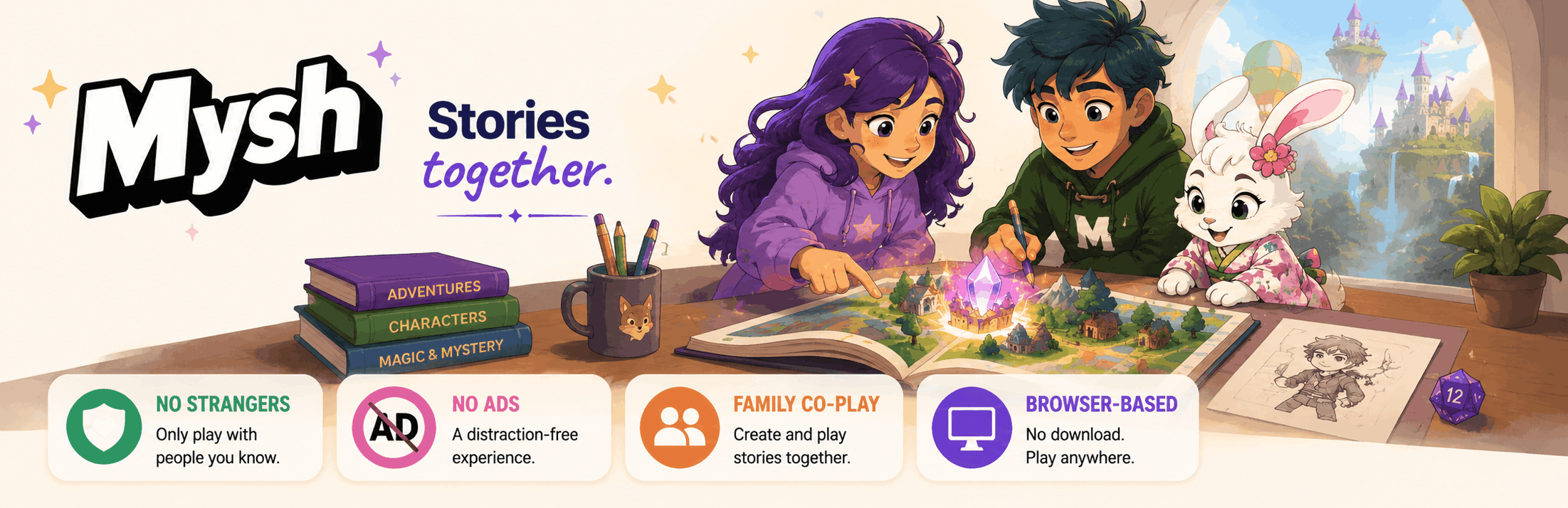
Mysh takes a different angle from most Roblox alternatives. Instead of dropping your child into an open world full of unknown players, it's a closed, family-friendly space where kids and parents build characters and go on story adventures together. There's no open chat with strangers — children only play within a family group you set up — and it runs entirely in the browser, so there's nothing to install.
It's worth being clear about what Mysh is and isn't. It's a guided, creative storytelling experience, not a sprawling open sandbox — so if your child specifically wants to build elaborate worlds block by block, Minecraft may scratch that itch better. Mysh also works best when a parent plays along, at least for the first few sessions. For families who want screen time that's shared and imaginative rather than solitary, that's a feature, not a drawback: your kid finishes a session with a story they created, and you were part of it.
Good fit if: you want a safe, ad-free, co-play experience for a younger child and you like the idea of being in the story with them.
2. Minecraft — the sandbox gold standard
Best for: ages 8+ · Price: one-time purchase (plus optional Realms subscription) · Download required
Minecraft is the alternative almost everyone lands on, and for good reason: it's the deepest creative sandbox out there, and it can be made very safe. Play in single-player or a private, invite-only Realm, and turn on Microsoft Family Safety, and you get all the building with none of the random strangers.
The catch is that safety here is something you configure — the default multiplayer servers are not automatically kid-safe. Set up correctly, though, it's hard to beat for open-ended creativity.
Good fit if: your child is a builder at heart and you're willing to spend ten minutes setting up family controls.
3. LEGO Worlds — structured building with a trusted brand
Best for: ages 7+ · Price: one-time purchase · Download required
LEGO Worlds gives you the creative freedom of a sandbox inside a calmer, more structured, LEGO-branded package. There's no open chat with strangers, it carries a family-friendly rating, and the toy-inspired building will feel instantly familiar to any kid who's snapped bricks together. If you want the joy of construction without the open social layer, it's one of the easiest recommendations on this list.
Good fit if: you want a self-contained building game from a brand you already trust.
4. Scratch (MIT) — for the kid who wants to make games
Best for: ages 8+ · Price: free · Browser, no download
If what your child loves about Roblox is the making — designing their own games and worlds — Scratch is the real thing. It's MIT's free, block-based coding platform, and kids genuinely learn programming concepts like loops and variables while building. The community is moderated, there's a huge library of projects to remix, and it all runs in the browser.
The trade-off is that the games your child creates will be simple and 2D — this is about learning the fundamentals, not flashy graphics. Many professional developers started here.
Good fit if: your kid is curious about how games work, not just playing them.
5. Toca Boca World — open-ended play for younger kids
Best for: ages 5–9 · Price: free with in-app purchases · App download
For the youngest players, Toca Boca World is a gentle, imaginative play space with no scores, no timers, and no open chat with strangers. Kids create characters and invent their own stories at their own pace. The main thing to watch is that the free version nudges toward paid add-on packs, so it's worth setting up purchase controls before you hand over the tablet.
Good fit if: your child is 5–8 and you want low-pressure, creative solo play.
6. Bloxd.io — the closest browser-based feel to Roblox
Best for: ages 8+ · Price: free · Browser, no download
Bloxd.io is probably the nearest thing on this list to the Roblox experience — blocky multiplayer sandbox and obby-style modes you can jump into instantly in a browser tab, with no download or account needed. That makes it a favorite for school Chromebooks. Because it is multiplayer, do note it includes some player interaction, so it sits better with slightly older kids and a quick parental look at the chat settings.
Good fit if: your child misses the Roblox obby vibe and you need something that works on a Chromebook.
7. Animal Jam — a moderated MMO for animal lovers
Best for: ages 7–11 · Price: free with optional membership · Browser or app
Animal Jam lets kids adopt animal characters, decorate dens, and explore a colorful world, with a long track record of tight chat moderation and filtered communication. It leans educational too, with nature and science woven into the world. It's a good middle step for a child who wants a social, online feel inside heavy guardrails.
Good fit if: your child wants a social online world but you're not ready for open chat.
8. Poptropica — browser-based story adventures
Best for: ages 6–12 · Price: free with optional membership · Browser, no download
Poptropica sends kids through themed islands solving puzzles and following story quests — closer to a guided adventure than an open sandbox. It runs in the browser, communication is limited rather than open, and the quest structure keeps younger kids engaged without the pressure of a live multiplayer lobby.
Good fit if: your child likes stories and puzzles more than building.
Quick comparison: games like Roblox at a glance
Prices and settings change — it's always worth checking the current version and safety options yourself before your child plays.
Which is right for your child's age?
Ages 6–8. Keep it closed and creative. Mysh, Toca Boca World, and Poptropica all avoid stranger contact and reward imagination over reflexes. At this age, "safer" mostly comes down to "not facing strangers."
Ages 9–10. Your child can handle a bit more depth. Minecraft in a private Realm, LEGO Worlds, or Scratch (if they're curious about making games) all work well with light supervision.
Ages 11–12. More independence is reasonable. Minecraft with friends-only realms, Bloxd.io on a Chromebook, or Scratch's creation community are all solid — and this is roughly the age when carefully managed social play starts to become appropriate.
Best games like Roblox for Chromebook (no download)
If you're on a school Chromebook or a shared family laptop, you want something that runs in a browser tab with nothing to install. The strongest no-download picks here are Mysh, Scratch, Bloxd.io, Animal Jam, and Poptropica — all of which load straight from the web. Mysh and Scratch are the safest of those for younger kids, since neither exposes children to open chat with strangers.
If your child won't give up Roblox: how to make it safer
Sometimes the honest answer is that all their friends are on Roblox and a clean break isn't realistic. If that's you, a few settings make a real difference: turn chat off entirely for kids under 13, enable the strictest parental controls and a parent PIN, use account restrictions to limit them to age-appropriate experiences, and turn off the ability to spend without approval. Pairing a locked-down Roblox account with one of the creative alternatives above — Roblox for a little social time, something like Mysh or Scratch for creative time — is a balanced approach a lot of families settle on.
The bottom line
There's no single perfect replacement for Roblox — its huge library and social network are exactly what make it hard to swap out. But for younger kids, that breadth isn't really the point. What most families want is creative, imaginative play without the open chat and spending pressure, and any of the eight games above deliver that in their own way. If you want something safe, ad-free, and genuinely shared — where your child ends the session with a story you helped build — Mysh is an easy place to start, and it takes under five minutes to try in your browser at playmysh.com.
Frequently asked questions
What is the best free game like Roblox for kids?
For safety-focused families with younger children, Mysh is a strong free option — it's browser-based, ad-free, and keeps kids in a closed family group with no strangers. Scratch is another excellent free, browser-based choice for kids who want to make their own games. For older kids who mainly want a Roblox-style feel, Bloxd.io is free and runs in any browser.
Are there games like Roblox with no ads?
Yes. Mysh is completely ad-free, and Scratch (run by MIT) carries no advertising either. Many free gaming sites rely on ad revenue, so if an ad-free experience matters to you, it's worth confirming before your child starts playing.
What are the safest games like Roblox for young kids?
For children under about ten, the safest options avoid open chat with strangers entirely. Mysh, Toca Boca World, and Poptropica all keep kids inside closed or heavily limited environments, which is the biggest single factor in safety at that age.
Do games like Roblox require a download?
Some do — Roblox, Minecraft, and LEGO Worlds all require an install or console. But several strong alternatives run entirely in the browser with nothing to download, including Mysh, Scratch, Bloxd.io, Animal Jam, and Poptropica, which makes them ideal for Chromebooks and shared devices.
Is Mysh a direct replacement for Roblox?
Not exactly — Mysh is a collaborative storytelling experience rather than an open-world social platform. For parents whose main worry is safety and stranger contact, it's a genuine alternative. For an older child who mainly uses Roblox to hang out with school friends, Mysh works better alongside a carefully managed Roblox account than as a full swap.
When is open, social online play appropriate for kids?
There's no hard rule, but many child-safety experts suggest saving open, stranger-facing social play for around age 12 and up. Before that, closed or friends-only environments give kids the fun of playing together without the exposure. Resources like Common Sense Media offer age-by-age guidance you can use to decide what fits your own child.